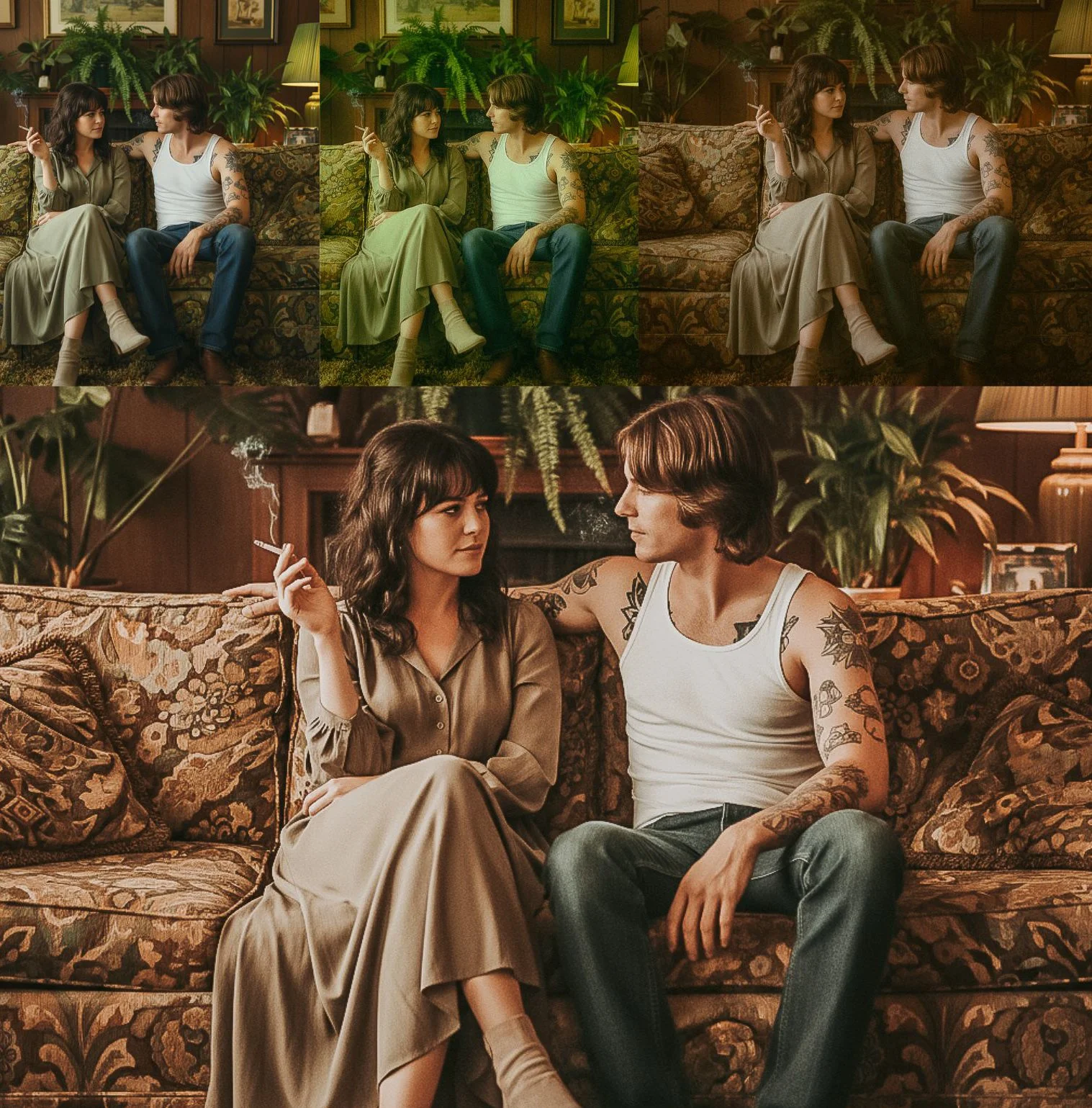
10 PRESETS INCLUDED IN THIS PACK- MOBILE AND DESKTOP ZIP FOLDER
Create a powerful cinematic look with this Lightroom preset. Featuring dramatic contrast, muted colors, and a film-inspired tone, it transforms ordinary images into cinematic scenes. Ideal for photographers and creators who want a bold, moody, and professional aesthetic.
35mm Film Lightroom Presets
The vintage film aesthetic is DOMINATING the social media world right now.
Those vintage & dreamy, nostalgic photos with golden undertones that look like 1970-1980s magazine editorials? They’re everywhere.
Problem: Achieving authentic film looks manually takes YEARS to master.
Film Lightroom Preset Collection (Vintage Mood) –
Created by analyzing thousands of actual vintage photographs.
Authentic Kodak Portrait 400 & Fujifilm Emulation
Golden moods magic Hour Magic
Old Money” Aesthetic
Perfect Film Grain & Fade styles tones
How to Use the Lightroom Preset
On Lightroom Desktop (PC & Mac)
Download and unzip the preset file after purchase.
Open Adobe Lightroom Classic or Lightroom (Desktop).
Import your photo into Lightroom.
Open the Presets panel.
Click Import Presets and select the preset file (.xmp).
Select the preset to apply it to your photo.
Adjust exposure, white balance, or contrast if needed.
On Lightroom Mobile (iOS & Android)
Download the preset file to your device.
Open Lightroom Mobile.
Import the preset file (DNG) into Lightroom.
Open the preset image and tap the three dots (⋮).
Select Create Preset and save it.
Open your photo and apply the preset from the Presets panel.
Make small adjustments for best results.
Tips for Best Results
Presets work best on well-lit, high-quality images.
Lighting and colors vary, so minor adjustments may be needed.
This preset is designed for a cinematic look, ideal for portraits, travel, street, and storytelling images.
10 PRESETS INCLUDED IN THIS PACK- MOBILE AND DESKTOP ZIP FOLDER
Create a powerful cinematic look with this Lightroom preset. Featuring dramatic contrast, muted colors, and a film-inspired tone, it transforms ordinary images into cinematic scenes. Ideal for photographers and creators who want a bold, moody, and professional aesthetic.
35mm Film Lightroom Presets
The vintage film aesthetic is DOMINATING the social media world right now.
Those vintage & dreamy, nostalgic photos with golden undertones that look like 1970-1980s magazine editorials? They’re everywhere.
Problem: Achieving authentic film looks manually takes YEARS to master.
Film Lightroom Preset Collection (Vintage Mood) –
Created by analyzing thousands of actual vintage photographs.
Authentic Kodak Portrait 400 & Fujifilm Emulation
Golden moods magic Hour Magic
Old Money” Aesthetic
Perfect Film Grain & Fade styles tones
How to Use the Lightroom Preset
On Lightroom Desktop (PC & Mac)
Download and unzip the preset file after purchase.
Open Adobe Lightroom Classic or Lightroom (Desktop).
Import your photo into Lightroom.
Open the Presets panel.
Click Import Presets and select the preset file (.xmp).
Select the preset to apply it to your photo.
Adjust exposure, white balance, or contrast if needed.
On Lightroom Mobile (iOS & Android)
Download the preset file to your device.
Open Lightroom Mobile.
Import the preset file (DNG) into Lightroom.
Open the preset image and tap the three dots (⋮).
Select Create Preset and save it.
Open your photo and apply the preset from the Presets panel.
Make small adjustments for best results.
Tips for Best Results
Presets work best on well-lit, high-quality images.
Lighting and colors vary, so minor adjustments may be needed.
This preset is designed for a cinematic look, ideal for portraits, travel, street, and storytelling images.