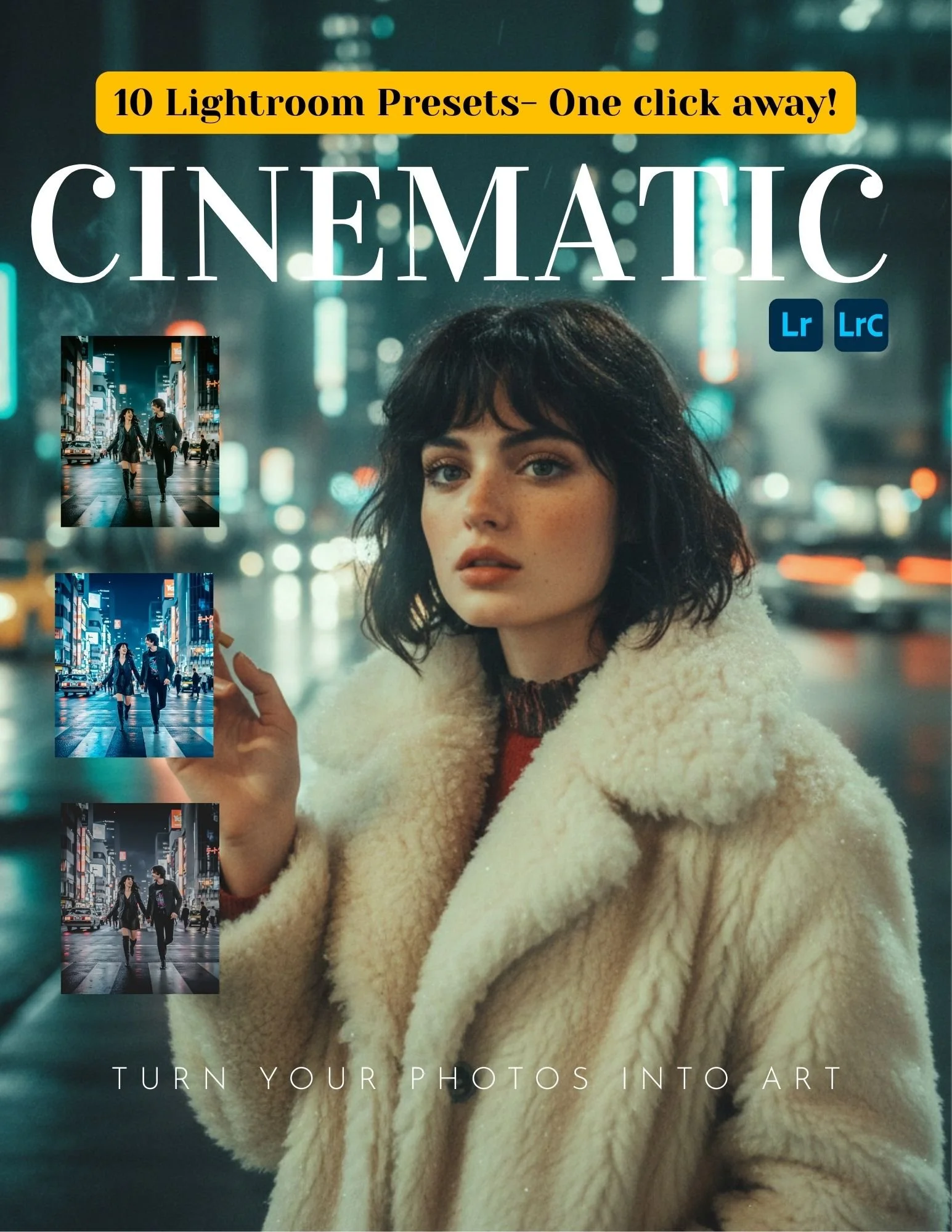
THIS PACKAGE INCLUDES 10 CINEMATIC PRESETS FOR MOBILE AND DESKTOP- GET 4 EXTRA FREE PRESETS ON US!
These presets are to make your photos have a cinematic movie look. Great for any type of photography.
-Create a powerful cinematic look with this Lightroom preset. Featuring dramatic contrast, muted colors, and a film-inspired tone, it transforms ordinary images into cinematic scenes. Ideal for photographers and creators who want a bold, moody, and professional aesthetic.
WORKS IN LIGHTROOM MOBILE AND DESKTOOP
INSTANT DOWNLOAD ONCE YOU PURCHASE
24 HOUR SERVICE
17 YEAR EXPERIENCE PHOTOGRAPHER IS GIVNG YOU ACCESS TO THE BEST PRESETS FOR YOUR PHOTOS. MAKE YOUR PHOTOS INTO ART WITH ONE CLICK AWAY.
How to Use the Lightroom Preset
On Lightroom Desktop (PC & Mac)
Download and unzip the preset file after purchase.
Open Adobe Lightroom Classic or Lightroom (Desktop).
Import your photo into Lightroom.
Open the Presets panel.
Click Import Presets and select the preset file (.xmp).
Select the preset to apply it to your photo.
Adjust exposure, white balance, or contrast if needed.
On Lightroom Mobile (iOS & Android)
Download the preset file to your device.
Open Lightroom Mobile.
Import the preset file (DNG) into Lightroom.
Open the preset image and tap the three dots (⋮).
Select Create Preset and save it.
Open your photo and apply the preset from the Presets panel.
Make small adjustments for best results.
Tips for Best Results
Presets work best on well-lit, high-quality images.
Lighting and colors vary, so minor adjustments may be needed.
This preset is designed for a cinematic look, ideal for portraits, travel, street, and storytelling images.
THIS PACKAGE INCLUDES 10 CINEMATIC PRESETS FOR MOBILE AND DESKTOP- GET 4 EXTRA FREE PRESETS ON US!
These presets are to make your photos have a cinematic movie look. Great for any type of photography.
-Create a powerful cinematic look with this Lightroom preset. Featuring dramatic contrast, muted colors, and a film-inspired tone, it transforms ordinary images into cinematic scenes. Ideal for photographers and creators who want a bold, moody, and professional aesthetic.
WORKS IN LIGHTROOM MOBILE AND DESKTOOP
INSTANT DOWNLOAD ONCE YOU PURCHASE
24 HOUR SERVICE
17 YEAR EXPERIENCE PHOTOGRAPHER IS GIVNG YOU ACCESS TO THE BEST PRESETS FOR YOUR PHOTOS. MAKE YOUR PHOTOS INTO ART WITH ONE CLICK AWAY.
How to Use the Lightroom Preset
On Lightroom Desktop (PC & Mac)
Download and unzip the preset file after purchase.
Open Adobe Lightroom Classic or Lightroom (Desktop).
Import your photo into Lightroom.
Open the Presets panel.
Click Import Presets and select the preset file (.xmp).
Select the preset to apply it to your photo.
Adjust exposure, white balance, or contrast if needed.
On Lightroom Mobile (iOS & Android)
Download the preset file to your device.
Open Lightroom Mobile.
Import the preset file (DNG) into Lightroom.
Open the preset image and tap the three dots (⋮).
Select Create Preset and save it.
Open your photo and apply the preset from the Presets panel.
Make small adjustments for best results.
Tips for Best Results
Presets work best on well-lit, high-quality images.
Lighting and colors vary, so minor adjustments may be needed.
This preset is designed for a cinematic look, ideal for portraits, travel, street, and storytelling images.